Writing
How I built PlayDesk
PlayDesk started because of a problem I saw firsthand: gaming shops running PS5 stations manage sessions manually. No real billing control, no analytics, no way to actually see what's happening across the floor. I'd run a gaming shop myself, so I knew exactly where the friction was — and decided to build the tool I wished existed.
The stack
- Electron for the desktop shell
- React + TypeScript for the UI
- SQLite with Drizzle ORM for local, offline-first storage
- Tailwind CSS + ShadCN for the interface
- AES-256 license keys tied to machine fingerprinting, so each install is locked to the device it was activated on
Offline-first was non-negotiable. Gaming shops don't want their session billing to break because the internet dropped.
What it actually does
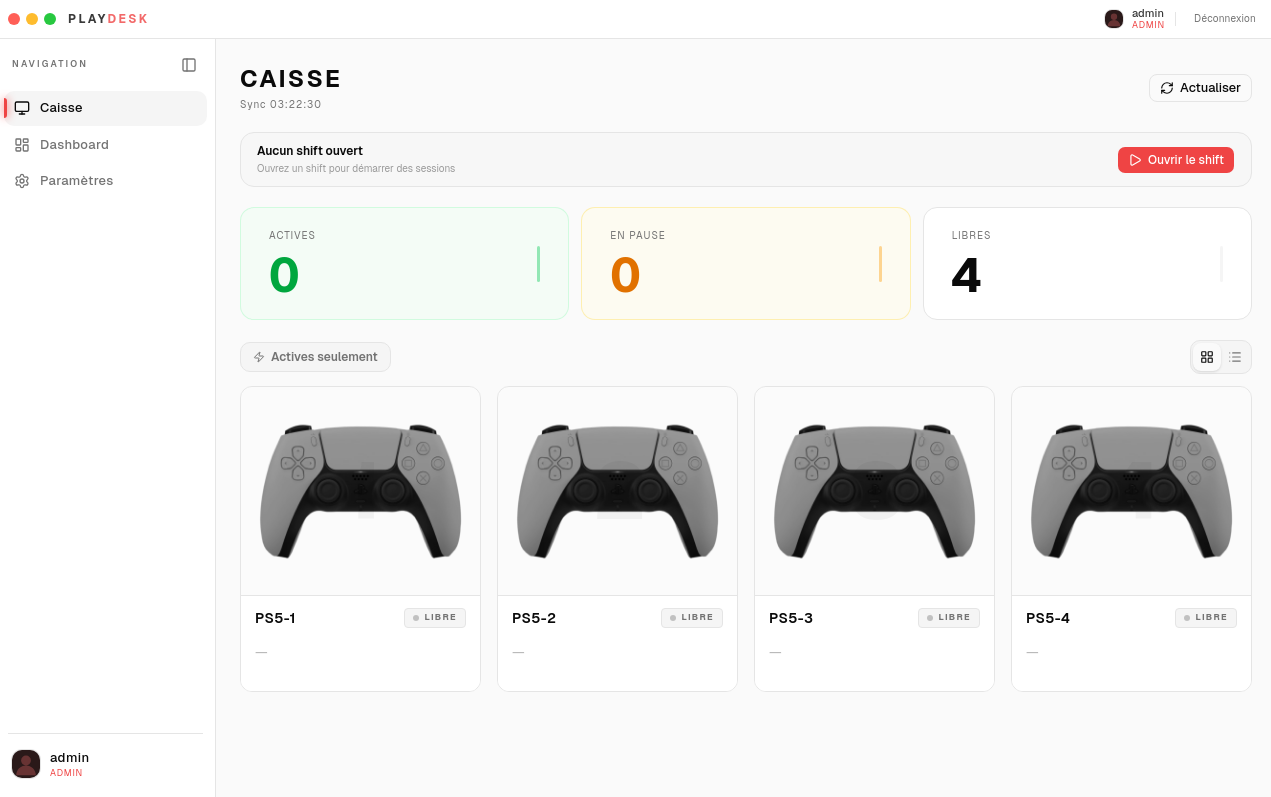
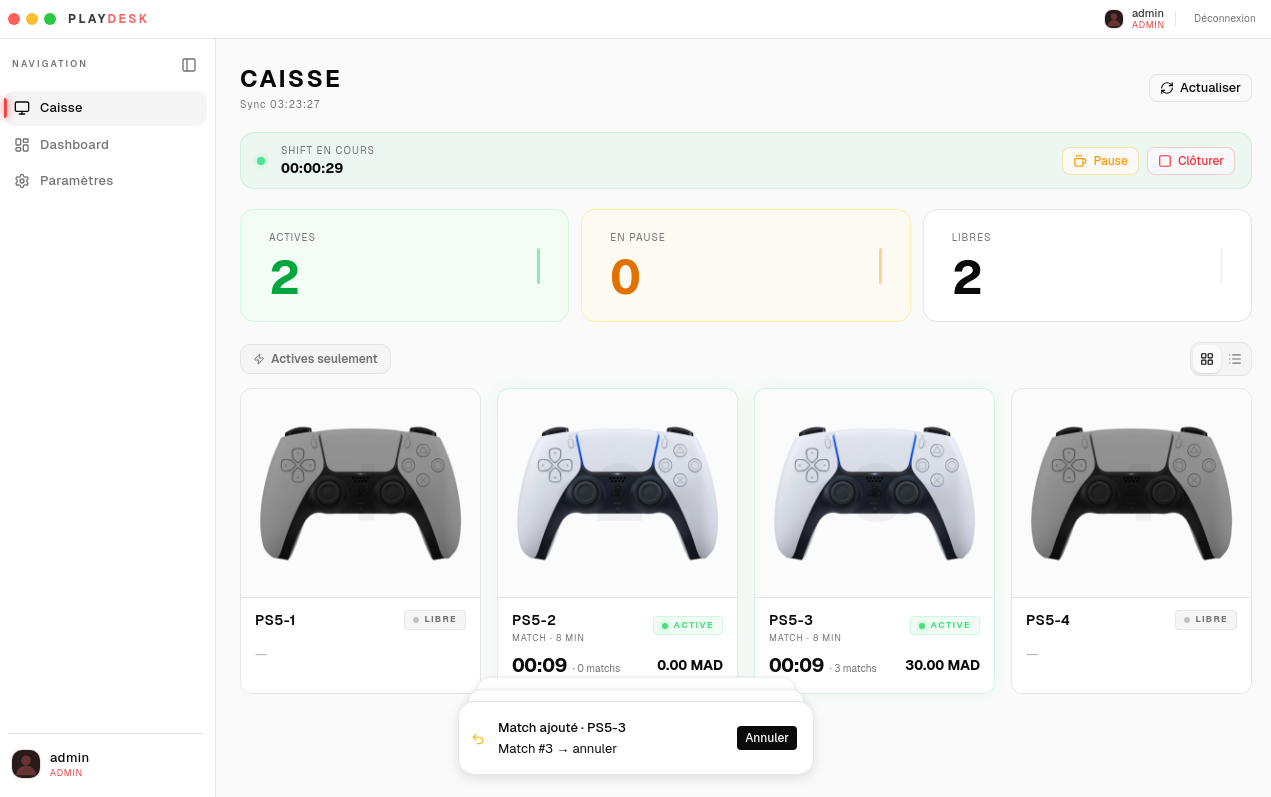
At its core, PlayDesk manages the full lifecycle of a gaming session: open a shift, track it live, pause it, resume it, close it out. Each station runs its own independent chronometer — so if you've got six PS5s running six different sessions, each one ticks on its own clock, billed by game, by duration, or left open-ended depending on how the shop runs things.
Role-based access control sits underneath so staff and admins see different things. And there's a dashboard layer for the actual business side — the analytics a shop owner needs but never had before: what's making money, what's sitting idle, where the patterns are.
Building the UI, iteratively
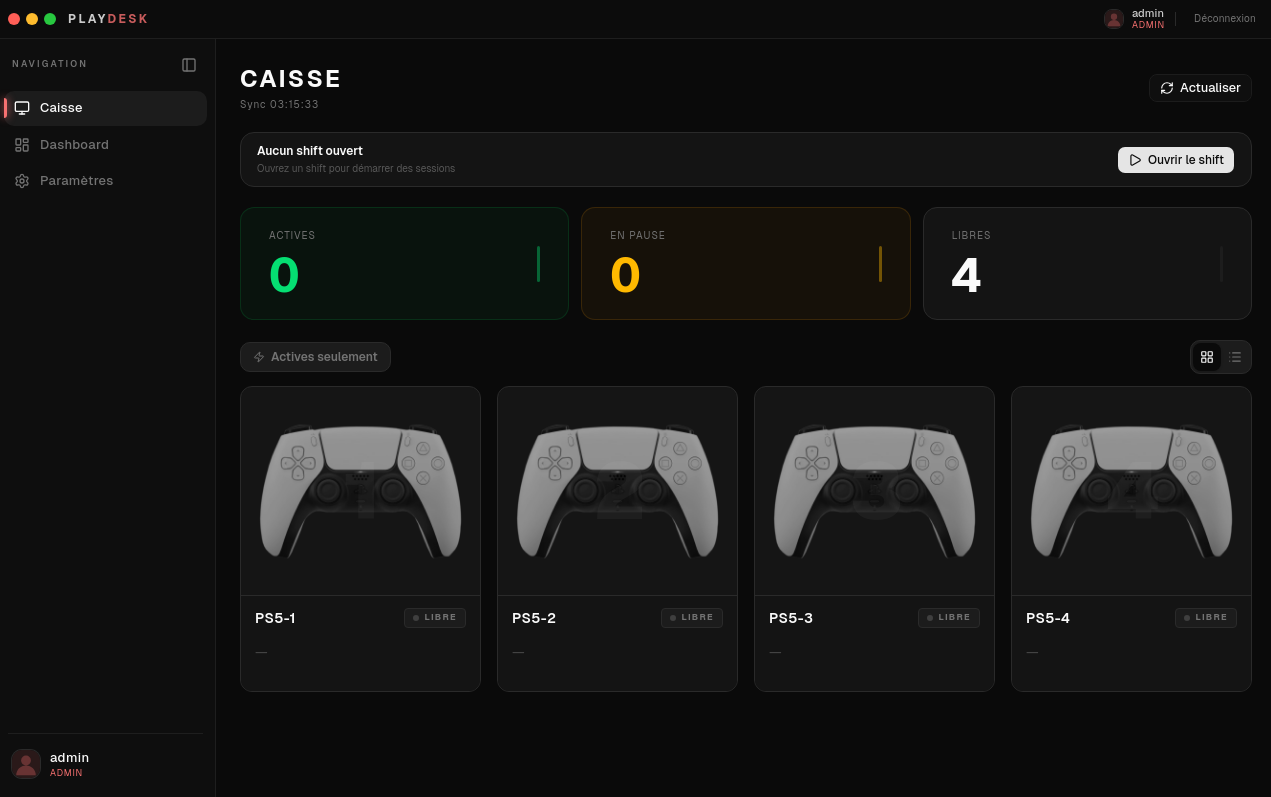
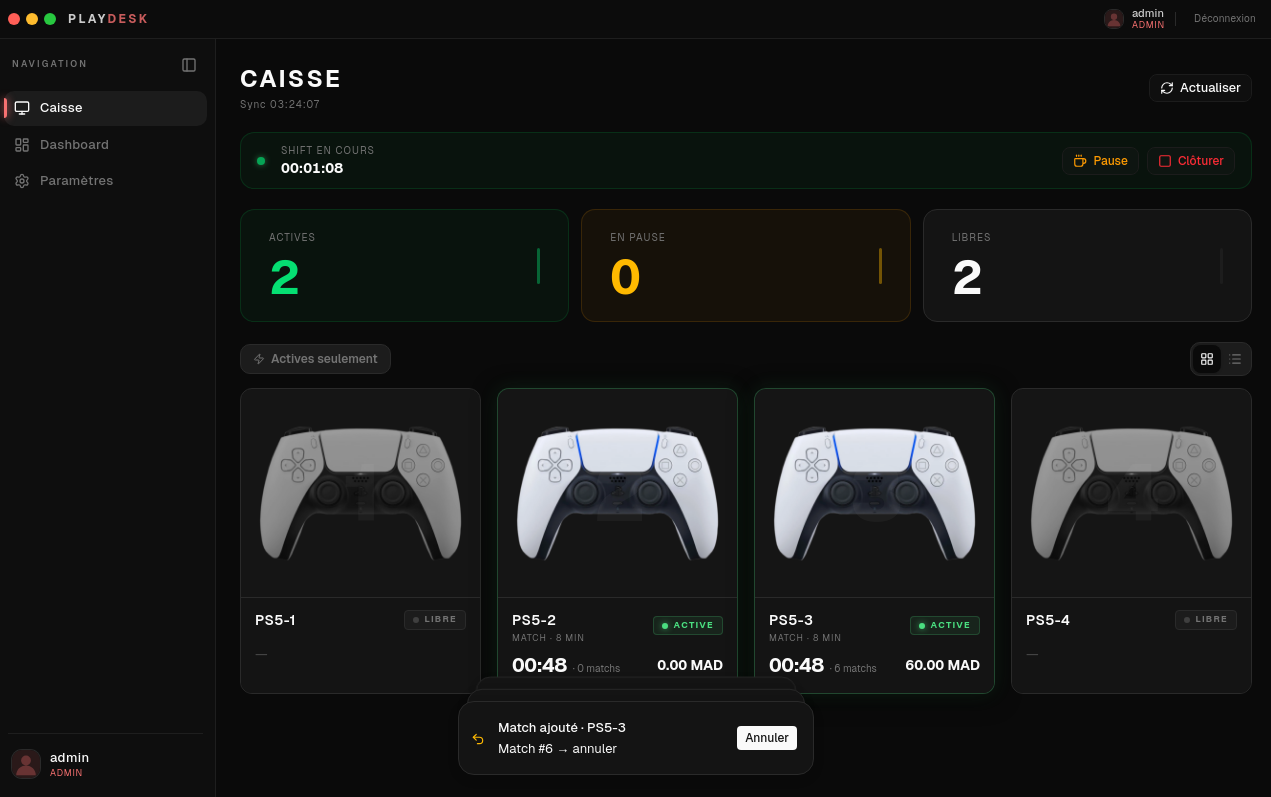
This is the part that took the most rounds. I went through a full UI/UX overhaul to land on a dual-mode neutral palette that actually works in both light and dark mode — not just an inverted color scheme, a properly considered one. I worked through this with Claude across a lot of back-and-forth: trying a dynamic accent color system that injects through CSS variables so the whole interface can re-theme itself without a rebuild, macOS-style traffic light buttons on the custom title bar, and an avatar upload/sync system wired through custom browser events so the UI updates in real time without prop-drilling everything.
One detail I'm genuinely proud of: the undo system. Session actions in PlayDesk aren't silent — close a session by mistake, and you get an animated countdown toast giving you a window to undo it before it's committed. Small feature, but it's the kind of thing that separates "works" from "feels right to actually use."
Packaging and shipping
Building the UI was one problem. Getting it onto a machine cleanly was another. I packaged it with electron-builder, working through NSIS installer configuration to get a proper Windows .exe — install flow, uninstall flow, all the standard stuff a shop owner would expect from any commercial software, not something that feels like a dev tool they downloaded off GitHub. I also took a run at Linux distribution, though that's less far along.
Where it landed
PlayDesk is a real, distributed commercial product now — licensed per install, currently running with 50+ active users. It's the project I point to when someone asks what I can actually ship, not just what I know how to code.
What I'd do differently
If I started over, I'd design the licensing and machine-fingerprinting layer earlier instead of retrofitting it once the core app was already working — it touches more of the app than it looks like it should. I'd also lock the theming/CSS-variable system in earlier, since a lot of the UI overhaul later was really just catching components up to a design system that didn't exist yet when I started.
Built solo, with a lot of iterative back-and-forth with Claude on the UI/UX decisions — the kind of project where a second pair of eyes on "does this actually feel right" mattered more than any single line of code.